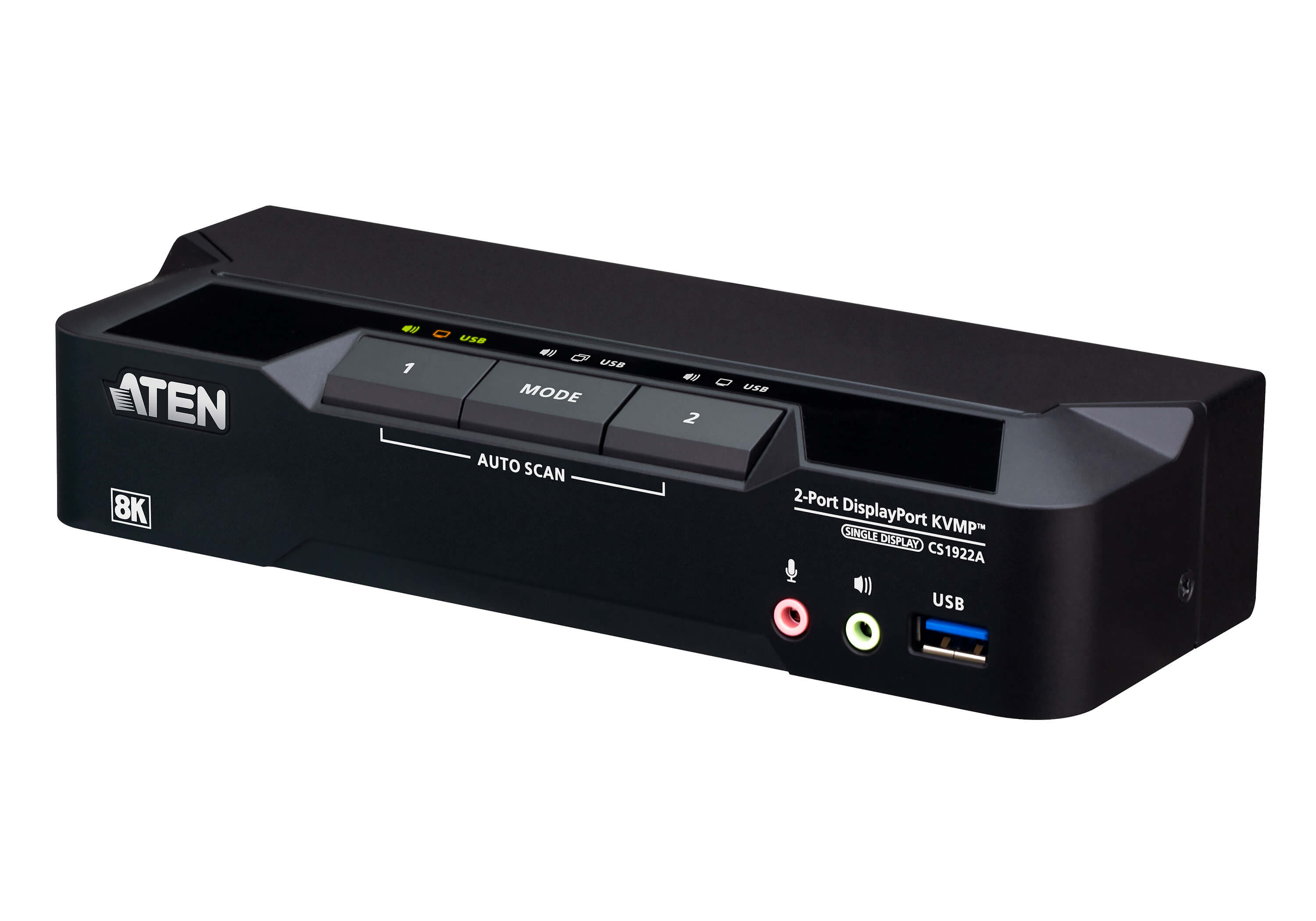
Product launch: CS1922A | CS1924A | CS1942DPA | CS1944DPA


2-Port USB 3.0 8K DisplayPort KVMP™ Switch (Cables included)
CS1922A
  • Up to 7680 × 4320 @ 60 Hz, 5120 × 2880 @ 60 Hz and 4096 × 2160 @ 240 Hz
  • Supports daisy-chaining for dual-display setups by connecting two CS1922A units, enabling dual-screen control through a single connection
  • All DisplayPort/USB cables and power adapter included for hassle-free installation
  • Computer selection via pushbuttons, remote port selector, hotkeys, mouse, and RS-232 commands
View relevant product   How to connect?   Learn more
 
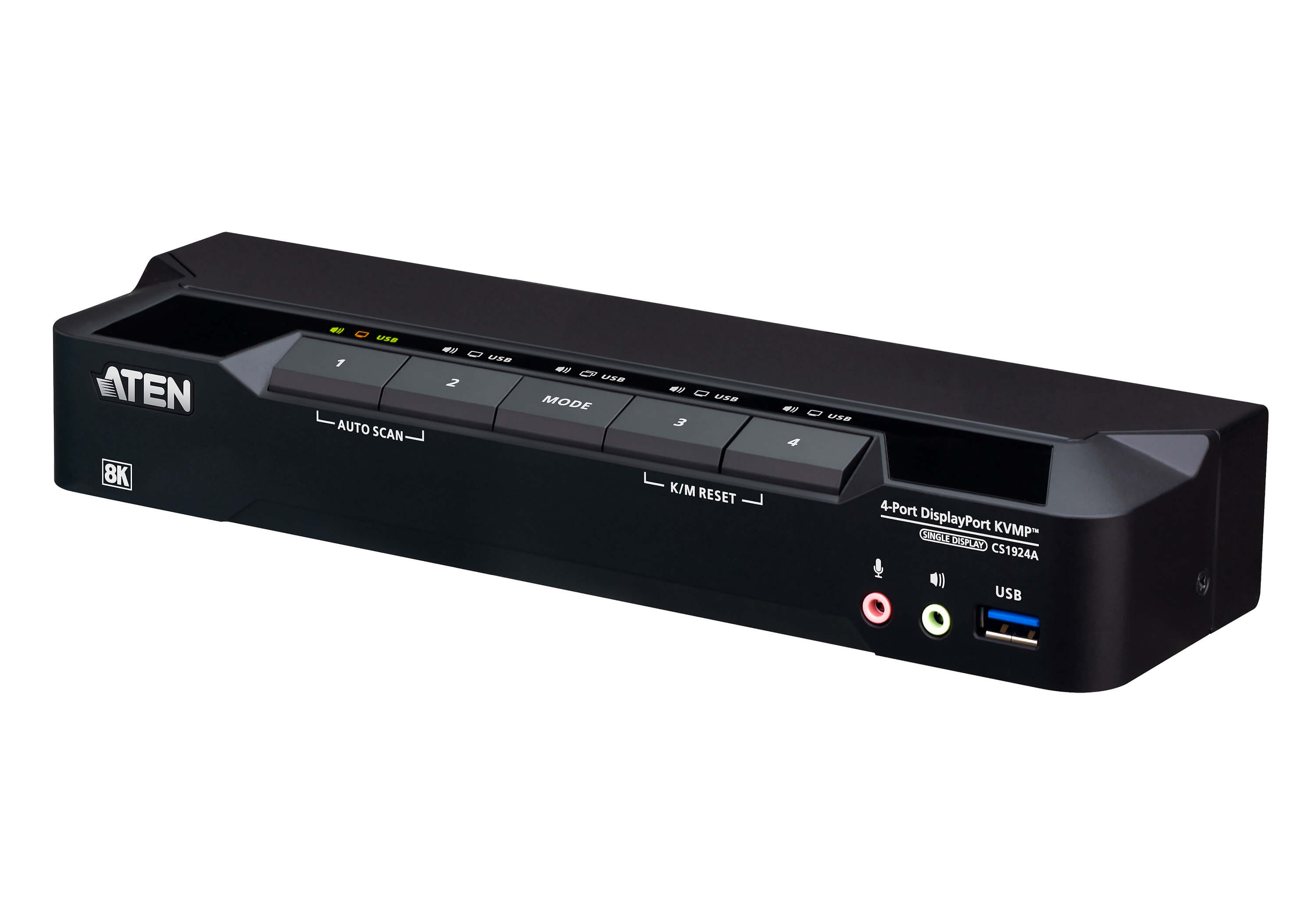
4-Port USB 3.0 8K DisplayPort KVMP™ Switch (Cables included)
CS1924A
  • Up to 7680 × 4320 @ 60 Hz, 5120 × 2880 @ 60 Hz and 4096 × 2160 @ 240 Hz
  • Supports daisy-chaining for dual-display setups by connecting two CS1924A units, enabling dual-screen control through a single connection
  • All DisplayPort/USB cables and power adapter included for hassle-free installation
  • Computer selection via pushbuttons, remote port selector, hotkeys, mouse, and RS-232 commands
View relevant product   How to connect?   Learn more
 
2-Port USB 3.0 8K DisplayPort Dual-Display KVMP™ Switch (Cables included)
CS1942DPA
  • Up to 7680 × 4320 @ 60 Hz, 5120 × 2880 @ 60 Hz and 4096 × 2160 @ 240 Hz
  • Daisy-chainable quad-display control connecting two CS1942DPAs to manage up to two PCs and four displays with one keyboard and mouse
  • All DisplayPort/USB cables and power adapter included for hassle-free installation
  • Computer selection via pushbuttons, remote port selector, hotkeys, mouse, and RS-232 commands
View relevant product   How to connect?   Learn more
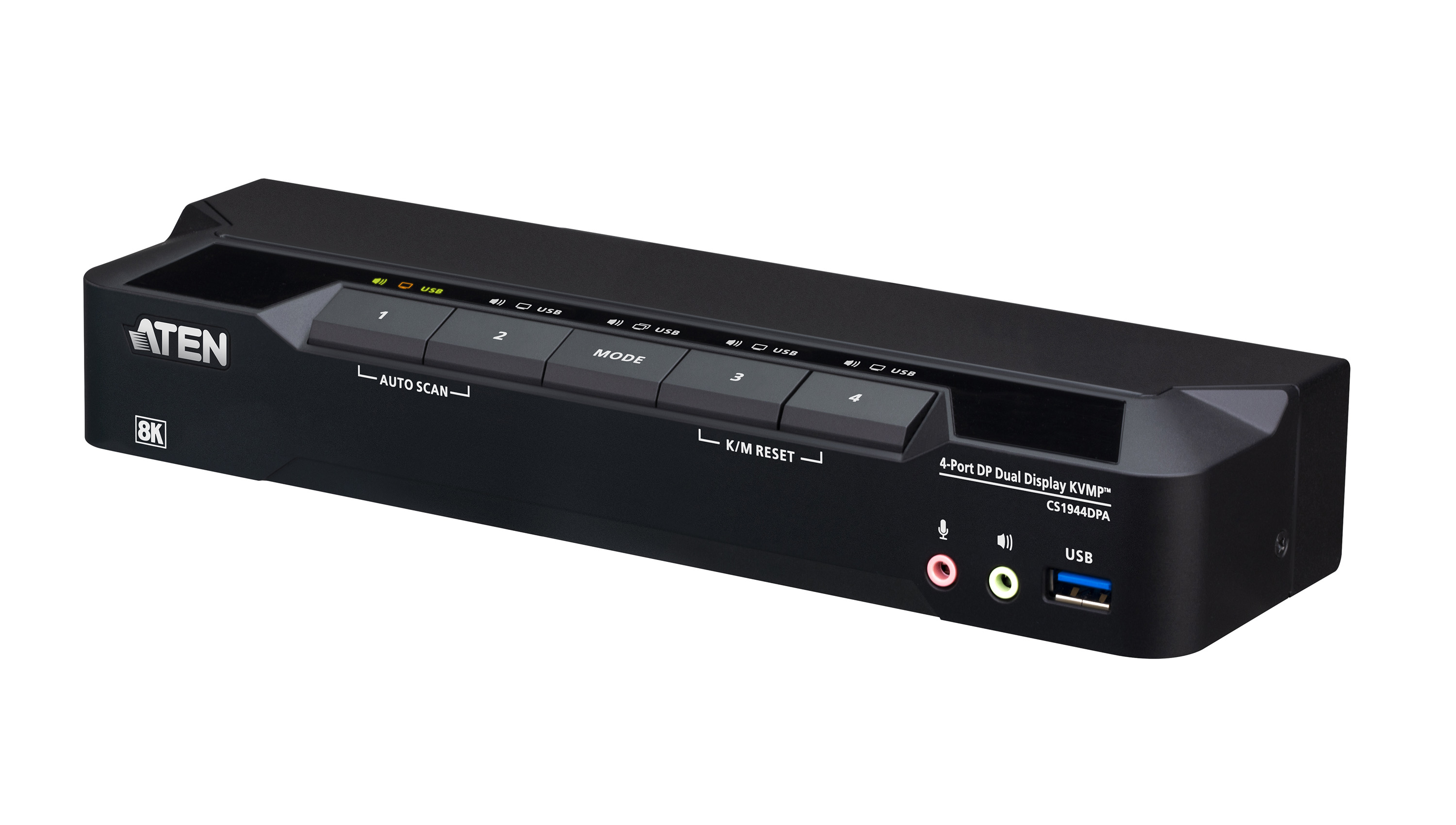
4-Port USB 3.0 8K DisplayPort Dual-Display KVMP™ Switch (Cables included)
CS1944DPA
  • Up to 7680 × 4320 @ 60 Hz, 5120 × 2880 @ 60 Hz and 4096 × 2160 @ 240 Hz
  • Daisy-chainable quad-display control connecting two CS1944DPAs to manage up to four PCs and four displays with one keyboard and mouse
  • All DisplayPort/USB cables and power adapter included for hassle-free installation Computer selection via pushbuttons, remote port selector, hotkeys, mouse, and RS-232 commands
View relevant product   How to connect?   Learn more

 
Request a quotation
Visit our website in:
EN | DE | FR | ES | IT | PT | NL | SV
 
sales@aten.eu sales@aten.eu
marketing@aten.eu marketing@aten.eu
YouTube ATEN Infotech
LinkedIn ATEN Infoech
Facebook
Copyright © 2026 ATEN Infotech, All rights reserved.

Want to change how you receive these emails?
You can update subscription preferences